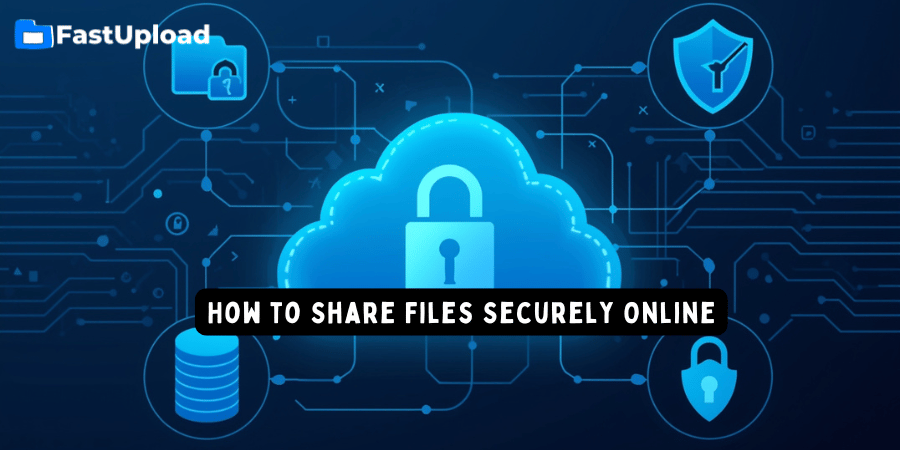
How to Share Files Securely Online (Complete Guide for 2026)
Mar 17, 2026 11:08 AM
Sudip Acharya
How to Share Files Securely Online, Sharing files online is a daily activity for students, professionals, and businesses. However, many people overlook one important factor — security.
If you are sending documents, images, or videos, it is important to ensure that your files are protected from unauthorized access.
In this complete guide, you will learn how to share files securely online, the risks involved, and the best tools and practices to keep your data safe.
Why Secure File Sharing Matters
When you share files online without proper protection, you may expose your data to risks such as:
-
Unauthorized access
-
Data theft
-
Malware distribution
-
Privacy breaches
Using secure file sharing methods helps protect both you and the recipient.
What Is Secure File Sharing?
Secure file sharing means transferring files in a way that ensures:
-
Only authorized users can access them
-
Files are protected during transfer
-
Data remains private and unchanged
This is usually achieved through encryption, secure servers, and controlled access.
Best Ways to Share Files Securely Online
1. Use Trusted Cloud File Sharing Platforms
The safest way to share files is by using a reliable cloud storage and file sharing service like FastUpload.cloud.
Benefits include:
-
Secure upload and storage
-
Easy file sharing via links
-
Access control
-
Fast and reliable downloads
2. Use Strong and Unique File Links
Always share files using secure, unique links generated by trusted platforms. Avoid sharing files through unknown or suspicious websites.
3. Avoid Public Sharing of Sensitive Files
Do not share personal, financial, or confidential data publicly. Only share such files with trusted individuals.
4. Scan Files Before Uploading
Before uploading any file, make sure it is free from viruses or malware. This protects both you and the person downloading the file.
5. Use Encryption
Encryption ensures that your files cannot be accessed without proper authorization. Many modern file sharing platforms use encryption automatically.
How to Share Files Securely Using FastUpload.cloud
Follow these simple steps:
Step 1: Upload Your File
Go to FastUpload.cloud and upload your file.
Step 2: Generate a Secure Link
After uploading, a unique download link will be created.
Step 3: Share the Link Safely
Send the link only to trusted recipients.
Step 4: Monitor and Manage Files
If you create an account, you can manage and track your files easily.
Common Mistakes to Avoid
Many users unknowingly make mistakes when sharing files online:
-
Using unsecured websites
-
Sharing sensitive files publicly
-
Not checking file security
-
Reusing old or public links
Avoiding these mistakes can significantly improve your security.
Benefits of Secure File Sharing
Using secure file sharing methods offers many advantages:
-
Protects your data
-
Prevents unauthorized access
-
Builds trust with recipients
-
Ensures safe file transfer
Tips for Businesses
If you run a business, secure file sharing is even more important:
-
Use trusted cloud storage platforms
-
Train employees about data security
-
Avoid sharing confidential data through unsecured channels
Future of Secure File Sharing
As technology advances, secure file sharing is becoming more advanced with:
-
AI-based threat detection
-
Stronger encryption methods
-
Faster and safer cloud systems
This makes file sharing more secure than ever before.
Conclusion
Sharing files online is easy, but sharing them securely is essential. By using trusted platforms, following best practices, and avoiding common mistakes, you can protect your data and ensure safe file transfers.
FastUpload.cloud provides a reliable and secure solution for uploading files, sharing links, and managing data online.
Start using secure file sharing today and keep your data safe.
Login or create account to leave comments
Popular articles
Best Free File Sharing Websites in 2026 (Top Secure Platform...
Mar 17, 2026 11:18 AM
How to Upload Files on FastUpload.cloud (Step-by-Step Guide...
Mar 17, 2026 11:32 AM
How to Compress Files Before Uploading (Complete Guide 2026)
Mar 17, 2026 11:25 AM
How to Add Password Protection to a File in 2026
Jun 20, 2026 01:13 PM
How to Send Large Files Online for Free in 2026
Mar 17, 2026 10:59 AM
Categories
Comments (0)