How to Send Large Files Online for Free in 2026
Mar 17, 2026 10:59 AM
Sudip Acharya
How to Send Large Files Online for Free, Sending large files online has become an essential part of everyday digital communication. Whether you are sharing videos, documents, software, or images, traditional methods like email often fail due to file size limitations.
In this complete guide, you will learn how to send large files online for free, the best tools to use, and how to ensure your files are shared securely and efficiently.
Why Sending Large Files Is Difficult
Most email providers limit attachments to around 20MB to 25MB, which makes it impossible to send:
-
High-quality videos
-
Large presentations
-
Software files
-
Compressed archives
Because of these restrictions, users need better alternatives like cloud file sharing platforms.
What Is Cloud File Sharing?
Cloud file sharing is a method of uploading files to an online server and generating a link that can be shared with others. Instead of sending files directly, you simply send a download link.
Benefits include:
-
No file size limits (depending on platform)
-
Faster transfer speeds
-
Access from anywhere
-
Easy sharing
Platforms like FastUpload.cloud are designed to make this process simple and efficient.
Best Methods to Send Large Files Online
1. Use a File Sharing Website
The most popular and effective method is using a file upload and sharing platform.
With FastUpload.cloud, you can:
-
Upload large files quickly
-
Generate secure download links
-
Share files instantly
-
Access files anytime
This is the easiest solution for beginners and professionals.
2. Compress Your Files
File compression reduces the size of files, making them easier to upload and send.
Common formats include:
-
ZIP
-
RAR
-
7Z
Compression is especially useful when sending multiple files together.
3. Split Large Files Into Parts
If a file is extremely large, you can split it into smaller segments using file splitting tools. Each part can be uploaded separately and downloaded easily.
4. Use Secure File Sharing Practices
Security is important when sharing files online. Always:
-
Use trusted platforms
-
Avoid sharing sensitive data publicly
-
Scan files before uploading
-
Use strong passwords if available
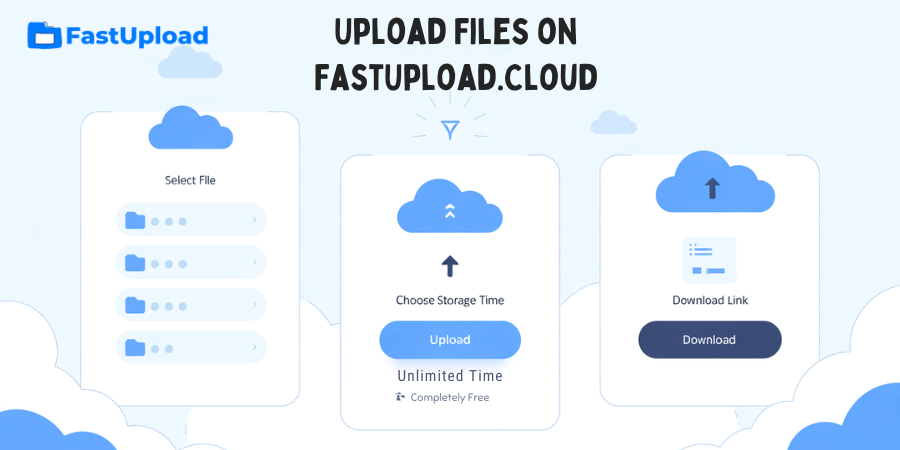
Step-by-Step: Send Large Files Using FastUpload.cloud
Follow these simple steps to upload and share your files:
Step 1: Visit the Website
Go to FastUpload.cloud using your browser.
Step 2: Upload Your File
Click on the Upload Files button and select your file.
Step 3: Wait for Upload
Depending on your internet speed, the upload may take a few seconds or minutes.
Step 4: Get Download Link
After uploading, you will receive a unique download link.
Step 5: Share the Link
Send the link via email, WhatsApp, or any platform.
Advantages of Using FastUpload.cloud
FastUpload.cloud offers several benefits for users:
Fast Upload Speed
Optimized servers ensure quick file uploads and downloads.
Secure Storage
Files are stored securely using advanced cloud technology.
Easy File Sharing
Generate and share links instantly without complications.
No Registration Required
Upload files without creating an account.
Access Anywhere
Download files from any device, anytime.
Common Problems and Solutions
Problem: Slow Upload Speed
Solution: Check your internet connection or compress the file.
Problem: File Too Large
Solution: Use compression or split the file.
Problem: Download Issues
Solution: Refresh the page or try a different browser.
Best Practices for File Sharing
To get the best experience, follow these tips:
-
Use clear file names
-
Compress files when possible
-
Avoid uploading duplicate files
-
Share links responsibly
Conclusion
Sending large files online is no longer a problem thanks to modern cloud file sharing platforms. By using tools like FastUpload.cloud, you can upload, store, and share files quickly and securely.
Whether you are a student, professional, or business user, using a reliable file hosting service makes file sharing simple and efficient.
Start using FastUpload.cloud today to experience fast, secure, and hassle-free file uploads.
Login or create account to leave comments
Popular articles
Best Free File Sharing Websites in 2026 (Top Secure Platform...
Mar 17, 2026 11:18 AM
How to Upload Files on FastUpload.cloud (Step-by-Step Guide...
Mar 17, 2026 11:32 AM
How to Compress Files Before Uploading (Complete Guide 2026)
Mar 17, 2026 11:25 AM
How to Add Password Protection to a File in 2026
Jun 20, 2026 01:13 PM
How to Send Large Files Online for Free in 2026
Mar 17, 2026 10:59 AM
Categories
Comments (0)