How to Compress Files Before Uploading (Complete Guide 2026)
Mar 17, 2026 11:25 AM
Sudip Acharya
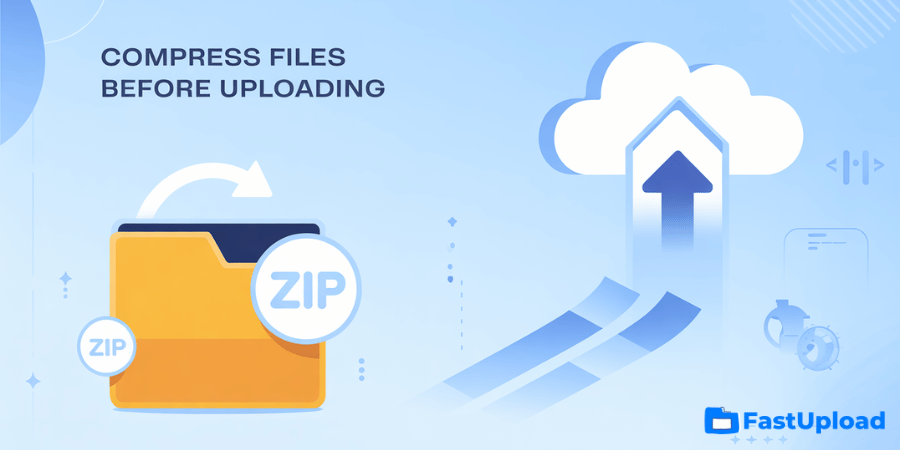
How to Compress Files Before Uploading, Uploading large files can take time, consume bandwidth, and sometimes fail due to size limits. That’s why file compression is an essential step before uploading files online.
In this guide, you’ll learn how to compress files before uploading, the best tools to use, and how it improves upload speed and file sharing efficiency.
What Is File Compression?
File compression is the process of reducing the size of a file without losing important data. This makes files easier to upload, store, and share.
Compressed files are usually saved in formats like:
-
ZIP
-
RAR
-
7Z
These formats reduce file size while keeping the content intact.
Why You Should Compress Files Before Uploading
Compressing files offers several important benefits:
Faster Upload Speed
Smaller files upload much faster, saving time.
Reduced Storage Space
Compressed files take up less space on servers.
Easy File Sharing
You can send files more quickly using download links.
Better Organization
Multiple files can be combined into one compressed folder.
When Should You Compress Files?
You should compress files when:
-
Uploading large files
-
Sending multiple files together
-
Sharing files online
-
Saving storage space
How to Compress Files on Windows
Follow these simple steps:
-
Select the file or folder
-
Right-click on it
-
Click Send to → Compressed (zipped) folder
-
A new ZIP file will be created
This is the easiest way to compress files on Windows.
How to Compress Files on Mac
Steps for macOS users:
-
Select the file or folder
-
Right-click (or Control + Click)
-
Click Compress
-
A ZIP file will be created automatically
Best Free Tools to Compress Files
If you want more advanced compression, you can use:
7-Zip
A powerful and free compression tool for Windows.
WinRAR
Popular software with advanced compression features.
Online Compression Tools
You can also compress files using online tools without installing software.
🔗 External Resource: https://www.7-zip.org
(Trusted and SEO-friendly external link)
How to Upload Compressed Files Online
After compressing your file, follow these steps:
Step 1: Go to Upload Page
Visit FastUpload.cloud Upload Page (internal link: /upload)
Step 2: Select Compressed File
Choose your ZIP or RAR file.
Step 3: Upload File
Wait for the upload to complete.
Step 4: Share the Link
Copy and send the download link to others.
Tips for Better File Compression
To get the best results:
Remove Unnecessary Files
Delete unwanted files before compression.
Use Proper Format
ZIP is best for compatibility, while 7Z offers higher compression.
Compress Images and Videos
Use tools to reduce media file sizes before zipping.
Split Large Archives
Some tools allow splitting files into smaller parts.
Common Mistakes to Avoid
Avoid these mistakes when compressing files:
-
Compressing already compressed files (like MP4, JPG)
-
Using unsupported formats
-
Forgetting file names and organization
-
Sharing corrupted compressed files
Does Compression Affect File Quality?
Most compression formats like ZIP do not reduce file quality. They simply package and optimize files.
However, some media compression tools may reduce quality to decrease file size.
Why Use FastUpload.cloud After Compression?
FastUpload.cloud works perfectly with compressed files.
Benefits:
-
Faster uploads due to smaller file size
-
Easy file sharing via links
-
No registration required
-
Secure cloud storage
👉 Also read:
How to Upload Large Files Online for Free
Conclusion
File compression is a simple yet powerful way to improve your file upload experience. By reducing file size, you can upload faster, save storage, and share files more efficiently.
Combine file compression with FastUpload.cloud to get the best results for fast, secure, and easy file sharing.
Start compressing your files today and enjoy smoother uploads.
Login or create account to leave comments
Popular articles
Best Free File Sharing Websites in 2026 (Top Secure Platform...
Mar 17, 2026 11:18 AM
How to Upload Files on FastUpload.cloud (Step-by-Step Guide...
Mar 17, 2026 11:32 AM
How to Compress Files Before Uploading (Complete Guide 2026)
Mar 17, 2026 11:25 AM

How to Add Password Protection to a File in 2026
Jun 20, 2026 01:13 PM

How to Send Large Files Online for Free in 2026
Mar 17, 2026 10:59 AM
Categories
Comments (0)